


Security Camera
3.915.00 Reviews
App Specs
- Version
- 2.92
- Updated On
- License
- Free
- Downloads
- 10,000+
- Developer
- LineCast
- Categories
- House & Home
- Platform
- Android
Screenshots
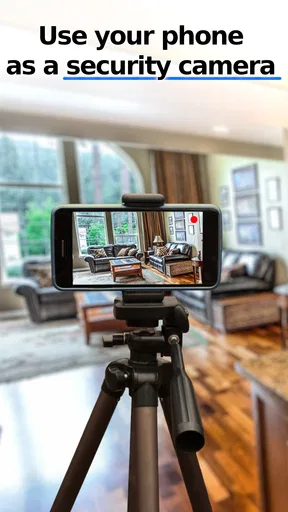
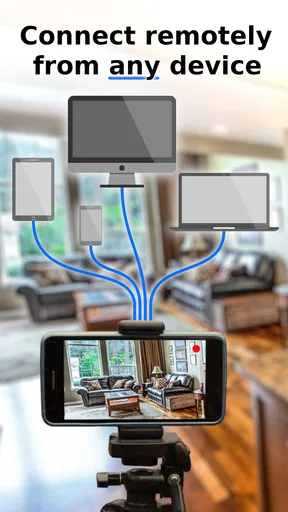
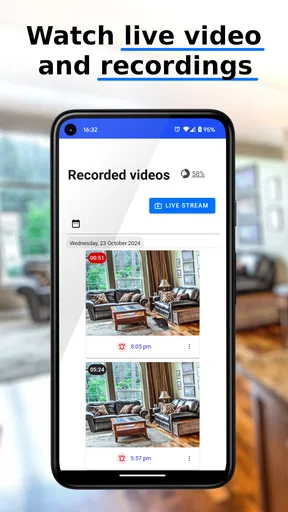
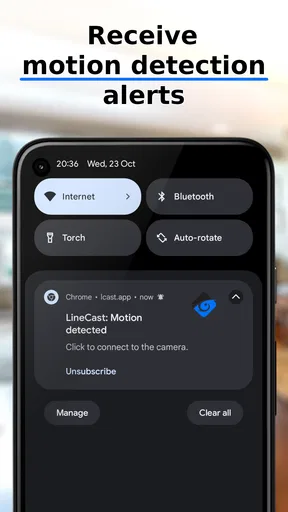
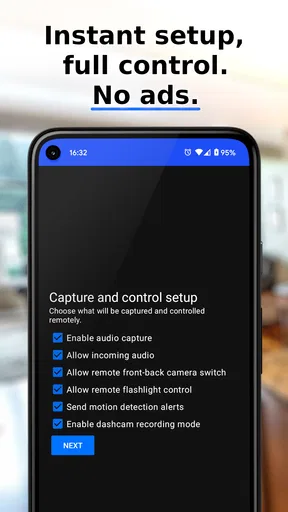
 Analysis by AppCompare
Turning an old Android phone into a camera sounds simple, but the useful question is whether it remains practical once the phone is left running, viewed remotely, and asked to keep working when conditions are less than perfect. I spent time looking at Security Camera from LineCast with that everyday question in mind. It is a free House & Home app for Android that focuses on remote live viewing rather than trying to replace a complete professional surveillance system.
That focus gives it a clear appeal. If you have a spare phone and want to check a doorway, a pet area, a child’s room, or a small workspace, using hardware you already own can be more sensible than buying another camera immediately. The app is rated for Everyone, works with Android 5.0 or later, and its current version is 2.92. Those details make it accessible to many older devices, although an older phone’s battery, camera quality, network connection, and ability to stay awake will still shape the experience.
My overall impression is that Security Camera is best understood as a practical conversion tool, not a full security ecosystem. It can be a useful answer to a narrow problem: “Can I see what is happening in a particular place from another phone?” For that purpose, it has a straightforward idea. For continuous recording, advanced alerts, professional installation, or dependable protection of valuable property, I would look more carefully at dedicated hardware and software before relying on it.
How Security Camera feels in everyday use
I find Security Camera most useful when I treat it as a temporary extra set of eyes, not as a silent replacement for a dedicated security setup. In everyday use, the key decision is where the spare phone sits and whether I can reach it if something interrupts the view. That practical balance leads naturally to the question of how much confidence to place in a phone-based camera.
Speed depends on the whole setup
The app’s main promise is remote live view, so perceived speed is not just about the application itself. The camera phone has to capture the image, process it, send it through the network, and deliver it to the viewing device. A strong connection at one end cannot fully compensate for a weak connection at the other. I would therefore judge the experience by how quickly the live image becomes useful, rather than expecting it to behave exactly like a nearby camera screen.
This matters when you are checking something that changes quickly. Looking in on a sleeping pet or seeing whether a package is still outside is more forgiving than trying to follow a fast-moving person. For casual checks, a small delay may be perfectly acceptable. For situations where immediate reaction matters, I would not treat a phone-based live view as a substitute for a purpose-built security system.
A sensible setup starts with the camera phone in its final position before you test the remote view. Place it where the lens has a clear angle, then check the image from the viewing device rather than judging the position from the phone’s screen alone. This catches a surprisingly common problem: the camera appears well aimed locally, but the remote view shows a door frame, glare, or too much empty ceiling.
Worth Reading Before You Choose

Flipboard Shows What News Apps Must Do Beyond the Feed

Switching to Android Auto Means Rethinking Your Driving Routine

Google Calendar Makes a Crowded Week Easier to Manage

Ludo King Makes the Most of the Minutes Between Plans

Baby Panda World Brings Quick Play to Modern Phones, but Its Game Library Feels Busy

ESPN’s Live Game View Makes Following Close Games Easier
There is also a practical trade-off between image usefulness and phone workload. A bright, detailed scene can be easier to interpret, but the phone still has to keep the camera and connection active. I would avoid placing the device in direct sunlight or near a heater, especially if it will remain connected for long periods. The app may be light enough for the phone to handle, but the camera, display state, wireless connection, and charging process all contribute to the total demand.
What happens during longer viewing sessions
The most demanding moment is not opening the app for a quick look. It is leaving the camera phone in place for hours while someone repeatedly checks the live feed. That is when heat, battery condition, network stability, and the phone’s age become more important than the initial setup.
I would use a reliable charger and keep the cable arranged so it cannot pull the phone out of position. A loose charging connection can turn a good idea into a camera that quietly stops working. The phone should also have enough free space and a clean, stable position, even if your main purpose is viewing rather than saving recordings. A device that is constantly interrupted by other tasks is a poor foundation for any remote camera arrangement.
For a realistic example, imagine leaving a spare phone on a shelf facing the front hall while you are at work. You receive a message that someone may have arrived, open the viewing side of Security Camera, and check the entrance. That is a reasonable use: the session is purposeful, the scene is simple, and you are using the app as a remote glance. If you instead expect the same phone to watch a busy room all day, remain available through every network interruption, and provide a complete history afterward, the limitations become much more significant.
Another useful habit is to perform a short trial before depending on it. Leave the camera phone in place for the length of a normal outing, then check whether it is still powered, positioned correctly, and reachable. This is more informative than testing only while holding both phones in the same room. It also reveals whether the chosen location has a dependable connection and whether the phone becomes unusually warm.
Stability and recovery deserve attention
Any remote camera arrangement has two separate reliability questions: does the camera phone continue to provide a view, and can the viewing phone reconnect when the connection changes? Security Camera’s appeal is its simplicity, but simplicity does not remove the ordinary weaknesses of mobile devices. A phone can lose power, change networks, be moved by someone, or stop behaving as expected after an interruption.
I would not hide the camera phone somewhere inaccessible and then assume it will recover from every problem without help. Keep it somewhere you can reach, especially during the first few uses. If the live view stops responding, the quickest solution may be checking the camera phone directly rather than repeatedly refreshing the remote device. That is an important difference from dedicated cameras designed around permanent installation and remote maintenance.
For better recovery, label the two devices in your own routine: one is the camera, the other is the viewer. Keep the camera phone’s charger nearby, avoid changing its position after testing, and check the setup before relying on it for an important occasion. These are small steps, but they reduce the chance of discovering a problem only when you are away from home.
The app’s rating of 3.9 from around 88 ratings suggests a mixed but reasonably understandable experience rather than universal approval. I would read that as a reason to test it with your particular phones and network, not as a verdict that it will behave identically for everyone. The number of reviews is relatively small, so your own hardware trial is more valuable than treating the average as a guarantee.
Older Android phones can be useful, with limits
One of the strongest practical points is its broad Android compatibility. Security Camera supports Android 5.0 and later, which opens the door to older spare phones that might otherwise sit unused in a drawer. That does not mean every compatible phone is equally suitable. Compatibility tells you the app can run on the operating system; it does not promise a sharp camera, healthy battery, modern wireless performance, or smooth operation during long sessions.
An older phone may be ideal for a fixed view of a quiet area if its camera still works well and it can remain connected to power. It is less attractive if the battery is swollen, the charging port is unreliable, or the device becomes hot quickly. I would never use a damaged battery as a permanent camera power source. The cost saving is not worth creating a safety problem.
Camera placement also changes the result more than many people expect. A phone pointed toward a bright window may produce a less useful view than the same phone aimed at an interior doorway. Reflections from glass, a narrow field of view, and low light can all reduce what you can actually see. Before blaming the app, test the scene at the times you care about: daylight, evening, and any artificial lighting that normally remains on.
The phone’s screen is another consideration. Even when the remote viewer is the device you interact with, the camera phone still needs to be configured correctly. I prefer setting it up with the minimum distractions possible: close unrelated apps, position it securely, connect power, and avoid using it for personal tasks while it is acting as the camera. That makes troubleshooting easier and reduces accidental movement.
Where it fits beside ordinary alternatives
Compared with buying a dedicated indoor camera, Security Camera has the obvious advantage of reusing hardware you already have. You can experiment without committing to a new device, and an old phone may offer a better camera than an inexpensive standalone unit. It is particularly appealing for temporary monitoring, a short trip, a rented home, or a one-off need where permanent installation would be excessive.
A dedicated camera is usually the better choice when you need a device designed to stay in one place, recover with minimal attention, and offer a broader security workflow. Hardware made for that purpose may also be easier to mount and less awkward around charging cables. If your priority is dependable coverage rather than low cost, the dedicated option deserves serious consideration.
Compared with using a video call application, Security Camera is more naturally suited to checking a location rather than maintaining a conversation. A call-based workaround can be useful in some homes, but it often feels less focused and may require more manual handling. This app’s specific value is that it treats the Android phone as a camera source for remote viewing, keeping the purpose clearer.
It is also different from a full smart-home camera service. Those products often appeal to people who want a complete history, event management, multiple cameras, or a polished installation experience. Security Camera makes more sense when your requirement is narrower and you are comfortable managing the phone yourself. The lower entry barrier is attractive, but the responsibility for placement, power, and recovery stays with you.
Cost, access, and the small print
The app is free to install, which makes testing straightforward. There are in-app purchases ranging from $0.99 to $23.99 per item, so I would check the available options inside the app before building your entire setup around a feature you assume is included. The free entry point is useful for deciding whether the basic workflow suits your devices, while the purchase range means the total cost can vary depending on what you choose.
For a single temporary camera, the free starting point may be enough to make the experiment worthwhile. For several phones or a longer-term arrangement, I would compare the possible purchase cost with a dedicated camera’s price and convenience. The cheapest option is not always the one that demands the least time. A system that needs frequent repositioning or manual checking can become frustrating even when the initial software cost is low.
Privacy also deserves a deliberate decision. A phone placed in a private room can capture more than you intended, especially if other people enter the area. I would tell household members what the device is doing, avoid pointing it at sensitive spaces, and remove the setup when the temporary need ends. Treating an old phone as a camera does not make the captured view any less personal.
Who should use it, and who should pass
I can recommend Security Camera to someone with a spare Android phone who wants a simple remote look at a defined area. It is a good candidate for checking a pet corner, watching an entryway during a delivery window, keeping an eye on a hobby workspace, or creating temporary visibility during travel. The fact that it is free to start and supports older Android versions makes experimentation easy.
I would be more cautious for anyone who needs continuous, security-critical coverage. If missing a connection, dealing with a dead battery, or walking over to restart the camera would create a serious problem, a dedicated system is the safer direction. The same applies if you need several viewing zones, a carefully managed archive, or a professionally mounted device rather than a phone balanced on furniture.
It is also not the best fit for people who dislike troubleshooting. The app can simplify the software side, but it cannot eliminate the physical realities of a phone: charging cables, limited viewing angles, aging batteries, and the possibility of network interruption. Someone comfortable with a short setup routine will likely get more from it than someone expecting a plug-and-forget appliance.
My performance verdict
My verdict is favorable but deliberately limited: Security Camera is a sensible way to test remote live viewing with an Android phone you already own. Its strengths are its clear purpose, free starting point, broad minimum Android requirement, and usefulness in temporary or low-cost situations. LineCast has made an idea that is easy to understand, and that matters when you want a quick practical solution rather than a complicated installation.
The trade-off is that the phone becomes part of the security system. Its battery, temperature, camera quality, charger, placement, and network connection all affect the result. I would describe the app as a convenient viewing tool, not a guarantee of uninterrupted surveillance. That distinction is the most important thing to understand before leaving it running while you are away.
If I were setting it up for a friend, I would start with one spare phone, one clearly defined scene, and a short away-from-home test. I would secure the device, connect dependable power, check the view at different times of day, and make sure I could reach it if recovery became necessary. If that trial works smoothly, Security Camera can give an old Android phone a genuinely useful second life.
With over 10K installs, it has attracted a meaningful group of people looking for this kind of phone-based solution, while its Everyone age rating keeps the app broadly approachable. I would still make the final decision based on the job rather than the install count. For a quick remote check, it is worth trying. For serious protection or a permanent multi-camera setup, I would spend more on an alternative designed specifically for that responsibility.
In short, I recommend it as a flexible, low-cost experiment with realistic expectations. It can be convenient when you already have suitable Android hardware, but its performance and reliability are inseparable from that hardware. Used for the right task, it is a practical House & Home app; used as a replacement for a complete security system, it asks more trust and maintenance than many people will want to give.
Pros
- Turns an unused phone into an affordable home security camera.
- Live video streaming helps monitor rooms
- pets
- children
- or entrances remotely.
- Motion detection can alert you to activity when you are away.
- Two-way audio supports communication with people near the camera.
- Simple setup makes it accessible for users without technical experience.
Cons
- Video quality depends heavily on the old phone’s camera and lighting.
- Continuous streaming can drain the camera phone’s battery quickly.
- Reliable monitoring requires a stable Wi-Fi connection on both devices.
- Cloud features or extended recording may require a subscription.
- Privacy risks remain if the camera phone or account is poorly secured.
FAQs for Security Camera
What is Security Camera, and what can it do?
Security Camera is a mobile app designed to turn a compatible smartphone or tablet into a basic surveillance camera. After installation, it can generally use the device’s camera to monitor a room, entrance, office, or other area. Depending on the version and available features, users may be able to view a live feed, receive motion alerts, record activity, and access footage remotely through another device.
Can I use Security Camera to monitor my home remotely?
Yes, remote monitoring is one of the main reasons people use Security Camera. You normally need to leave the camera device connected to power and the internet, then pair it with a second phone or supported device for viewing. Performance depends heavily on Wi-Fi quality, upload speed, device compatibility, and whether the app requires an account or subscription for remote access.
Does Security Camera record continuously or detect motion?
The recording options may vary according to the app version, device permissions, and plan available. Security Camera may support live viewing, motion-triggered recording, snapshots, or continuous recording, but users should check the in-app settings carefully. Continuous recording can consume considerable storage, battery, and mobile data, while motion detection may reduce usage but can occasionally miss activity or create false alerts.
Is Security Camera safe and respectful of privacy?
Because this type of app can access the camera, microphone, storage, network connection, and sometimes location services, privacy should be considered before installation. Review the permissions requested and grant only those necessary for the features you intend to use. Use a strong account password, keep the application updated, secure your Wi-Fi network, and avoid recording people in private areas without their knowledge or consent.
What do I need before downloading and setting up Security Camera?
You should have a compatible Android or iOS device with a working camera, a stable Wi-Fi connection, sufficient storage, and access to a charger if the device will operate for long periods. It is also useful to prepare a second phone for remote viewing and confirm whether the app includes advertisements, in-app purchases, cloud storage limits, or subscription-based features before relying on it for security.


